
Gemini Omni Video Generator
Gemini Omni Video Generator is Google's upcoming unified video model that brings video, imagery, and sound under one roof. Start from a written idea or a quick template, and the Gemini Omni Video Generator turns it into a finished clip without juggling Veo, Nano Banana, and a separate sound tool.
Try AI Video Generator
Explore the magic of AI
Next Step:
Text to Video & Image to Video
Credits = output duration x rate per second
| 480P | 720P | |
|---|---|---|
| Pro | 65 /s | 135 /s |
| Fast | 50 /s | 110 /s |
Omni Reference (with reference video)
Credits = (input video duration + output duration) x rate per second
| 480P | 720P | |
|---|---|---|
| Pro | 40 /s | 85 /s |
| Fast | 30 /s | 65 /s |
Omni Reference without reference video uses the standard rate above. Input video duration is rounded up to the nearest second.
One Workflow with Gemini Omni Video Generator
Gemini Omni Video Generator unifies what used to take three separate tools: video, image, and sound. Open one prompt, get one finished clip.
Start from an idea or a template
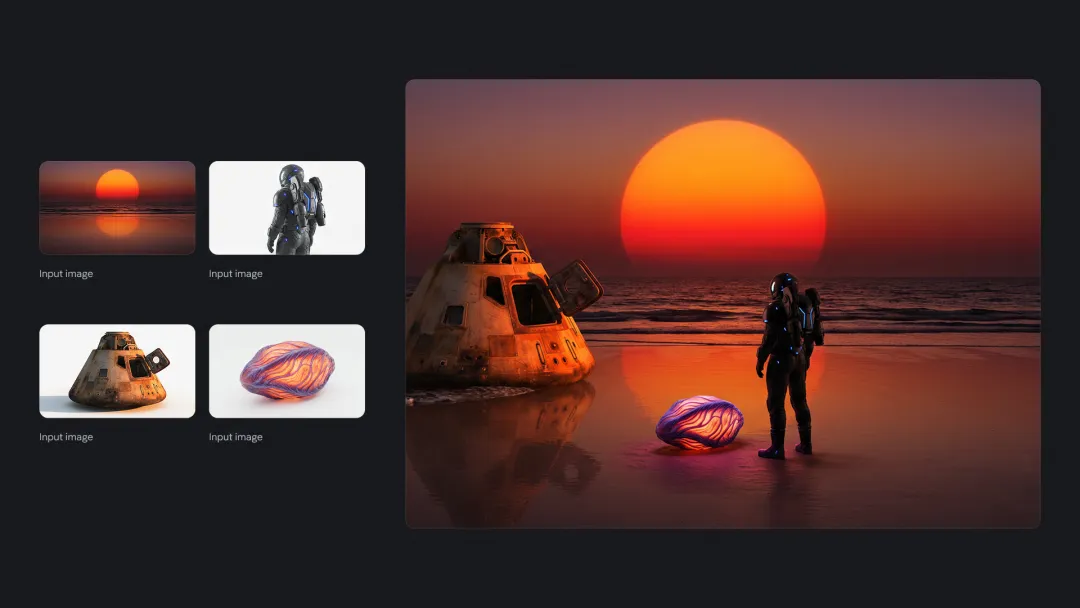
The Gemini Omni Video Generator interface opens with a simple choice: type out your idea or pick a ready-made template. Templates cover product ads, explainer clips, social cuts, and music-driven montages, so you can skip the blank canvas and have the gemini omni model fill in motion, lighting, and pacing for you.

Video, image, and audio in one model
Most current tools split the job: Veo handles motion, a separate image model handles still frames, another adds sound. Gemini Omni Video Generator merges all of that into a single omni model, so a single prompt produces a video clip with matching frames and synced audio, no stitching across apps.
Built on Google's Gemini foundation
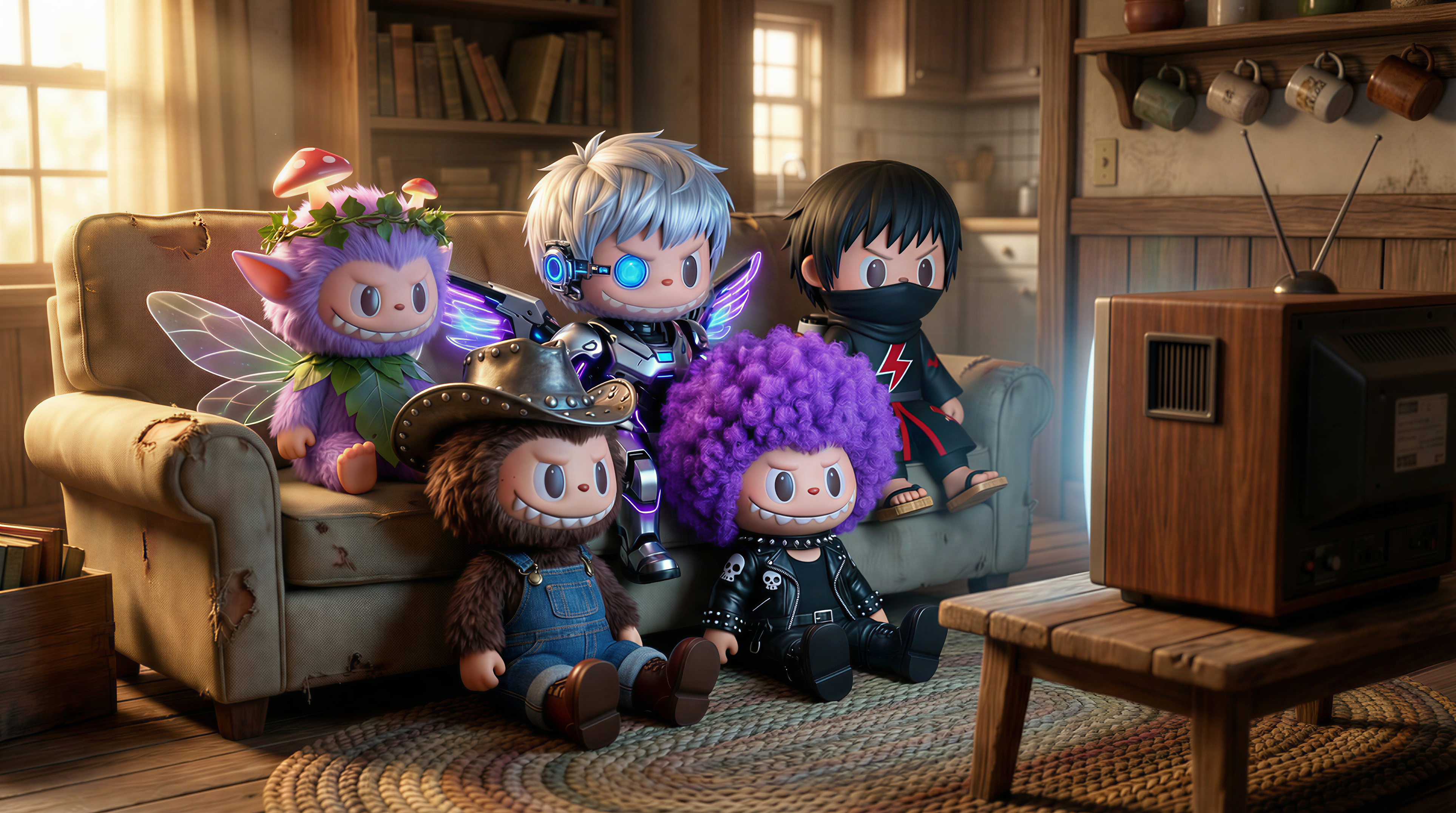
Gemini Omni Video Generator inherits the language understanding of the wider Gemini family, so prompts can be long, layered, and conversational. Describe a scene, the camera mood, the music style, and the dialogue tone in one paragraph, and the gemini omni video model treats them as one connected brief instead of separate guesses.

Positioned for I/O 2026 and beyond
Spotted inside Google's Gemini video tab ahead of I/O 2026, Gemini Omni Video Generator is set up as Google's first true omni answer to ByteDance Seedance 2.0 and other unified video models. Expect a tighter feedback loop between text, motion, and sound than any single previous Google tool.
Why Creators Pick Gemini Omni
Six reasons Gemini Omni Video Generator is the most-watched Google video tool heading into I/O 2026, and how the gemini omni video model changes the day-to-day for solo creators and small teams.
🎬 One Model, Not Three
Most workflows still bounce between a video tool, an image tool, and a sound tool. Gemini Omni Video Generator collapses that into one omni model, so the same prompt drives motion, still frames, and audio together with no manual stitching.
🔊 Video and Sound Generated Together
Other generators leave you to add a soundtrack later. The gemini omni video model produces the audio bed inside the same generation pass, so footsteps land on the beat and dialogue lines up with mouth movement on the very first export.
✨ Templates That Skip the Blank Canvas
Open Gemini Omni Video Generator and you start with a list of practical templates instead of an empty box. Pick a product ad, an explainer, or a music montage and the model fills in pacing, transitions, and shot order while you focus on the message.
🌍 Long, Conversational Prompts
Gemini Omni Video Generator runs on Google's Gemini language layer, so it actually reads paragraph-long briefs. Describe story beats, mood, camera feel, and audio style in plain sentences, and the gemini omni model treats them as one connected idea instead of separate guesses.
⚡ Built to Replace Multi-Tool Workflows
Solo creators used to bounce between Veo, an image generator, and a sound app for one ad. Gemini Omni Video Generator delivers a finished, audio-synced clip in 30 to 90 seconds, freeing up the editing time that used to go into hand-stitching layers.
🏆 Built for the I/O 2026 Era
Spotted inside the Gemini video tab ahead of I/O 2026, the gemini omni video generator is Google's direct answer to ByteDance Seedance 2.0. Getting comfortable with it now means you are early on the next wave of unified video tools.
Make a Clip in Three Steps
Open Gemini Omni Video Generator, hand it your idea, and let one model do the work that used to take three tools. The flow is the same whether you start from text, a template, or a reference image.
1. Pick Idea or Template
Open Gemini Omni Video Generator and choose Text-to-Video, Template, or Image-to-Video. Templates cover product ads, lifestyle reels, explainers, and music montages. The gemini omni model uses the template as a structural starting point so the first draft already has pacing and shot order.
2. Write the Brief
Describe the scene, the mood, the camera feel, and any dialogue or sound cues in one paragraph. Set duration (5, 8, or 10 seconds), aspect ratio (16:9, 9:16, or 1:1), and resolution up to 1080p. Drop in a reference image if you want the gemini omni video to match a product or character.
3. Generate and Download
Hit Generate. Gemini Omni Video Generator drafts the visuals, layers in matching audio, and syncs everything into one MP4 you can download in roughly 30 to 90 seconds depending on length. Use it straight in YouTube Shorts, TikTok, Reels, or as a hero loop on a landing page.
Gemini Omni Video Generator FAQ
Quick answers about formats, audio, prompts, and how the gemini omni video generator fits next to Veo and other Google video tools.
How is Gemini Omni Video Generator different from Veo?
Veo is a dedicated video model. Gemini Omni Video Generator is a unified omni model that handles video, still imagery, and sound in one pass. With Veo you usually pair extra tools for sound and frames; with the gemini omni video generator one prompt produces all three together.
What clip lengths and aspect ratios does it support?
Gemini Omni Video Generator targets short-form lengths of 5, 8, and 10 seconds with 16:9, 9:16, and 1:1 aspect ratios. That covers YouTube Shorts, TikTok, Reels, landing-page hero loops, and product ads, the formats teams actually ship in 2026.
Does the gemini omni model add sound automatically?
Yes. Audio generation runs inside the same pass as video, not as a separate step. Footsteps, ambience, and dialogue come out lined up with the visuals, so most clips are ready to post without bouncing into a separate sound editor or music library.
Can I steer the look with a reference image?
Yes. Drop a product photo, character sheet, or brand frame into Gemini Omni Video Generator and the model uses it as a visual anchor. The gemini omni video generator keeps that look consistent across frames, which is useful for product ads and recurring on-screen characters.
How long does one Gemini Omni video take to generate?
A typical 5 to 10 second clip from Gemini Omni Video Generator finishes in roughly 30 to 90 seconds, depending on length, resolution, and whether you asked for synced dialogue. Shorter clips with simpler audio finish on the faster end of that range.
Can I use Gemini Omni videos commercially?
Yes. Clips made with Gemini Omni Video Generator can be used in ads, social posts, product pages, and printed campaigns as permitted by local law. Reference images and audio cues you upload need to be ones you are authorized to use.